Workflow Presets
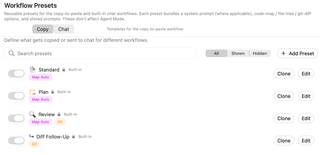
Manage reusable Copy and Chat presets that bundle prompts with Code Map, file-tree, and Git-diff options. These presets configure copied prompts and built-in chat rather than Agent Mode workflows.
Open Settings → Prompting → Workflow Presets. Copy and Chat use separate preset collections. These presets package copied context or configure built-in chat; they do not configure Agent Mode workflows.
Choose a collection and find a preset

Switch between Copy and Chat, search by preset name, and filter All, Shown, or Hidden. Switching collection resets that list's search and filter state.
The switch beside each preset controls its visibility in the quick menu, not whether the preset is currently applied. Add Preset creates a custom preset. Clone starts a copy you can customize; Edit opens the selected preset's configuration.
Copy presets
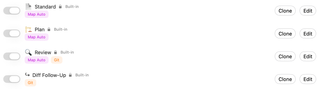
Copy presets bundle prompt packaging choices, including Code Maps, file-tree and Git-diff inclusion, and stored prompts. The captured built-ins are Standard, Plan, Review, and Diff Follow-Up.
Summary chips show non-default settings. Map Auto indicates automatic Code Map usage, and Git indicates Git content inclusion. The exact bundle can be inspected in the editor.
Chat presets
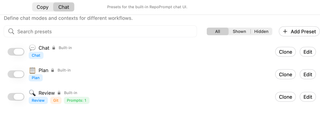
Chat presets bundle the chat mode, optional model selection, context inclusion, and stored prompts. The pictured built-ins are Chat, Plan, and Review. Mode chips identify the chat mode; Prompts: 1 reports one selected stored prompt, not one message in the conversation.
Built-in and custom presets
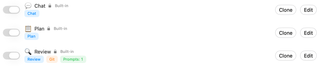
The lock and Built-in label identify shipped presets. They can have saved overrides; a modified built-in is marked accordingly. Reset Overrides, where available, restores its shipped configuration. Built-ins cannot be deleted.
Custom presets have a delete action with confirmation. Hiding a preset keeps its saved configuration. Use Copy Prompt Order for the order of packaged sections, and Chat Settings for the built-in model and planning prompt.